Introduction
In January 2026, I started and finished a small side project over the span of a few days.
Today, just over halfway through the year, I released another update that completely rebuilds it in Tauri.
The software now does exactly what I wanted it to do, and I’m satisfied with it. I consider it finished and don’t plan to work on it anymore. So, this post is a short discussion about the project and, more importantly, a few loosely related topics that I wanted to write about.
What Is Friction Timer?
Taking the description directly from the project’s README:
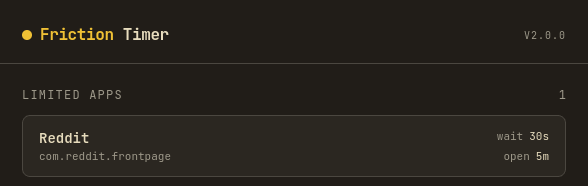
Friction Timer is an Android app that adds a waiting period before you can use selected apps.
That’s the whole idea. You choose which apps should have a waiting period, how long you need to wait before opening them, and how long that access lasts before you have to wait again.
It works by drawing an overlay over any restricted app you try to open. The overlay is semi-opaque, so it dims the screen and makes it difficult to see what’s behind it. It also blocks touch input, so you can’t tap or scroll until the timer finishes.
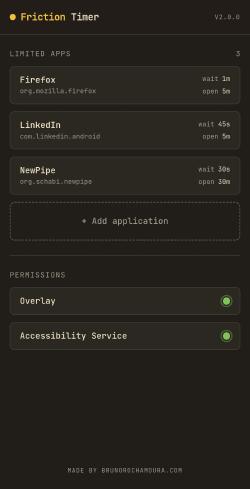
The Friction Timer app.
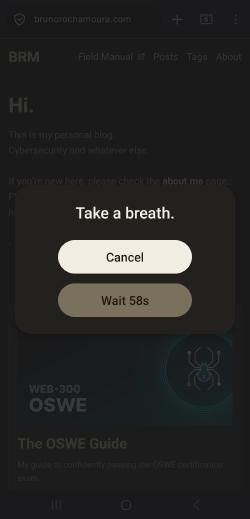
When trying to open one of the limited apps.
I built this app for my own use and haven’t shared or announced it anywhere. A few people I know in real life use it too, but only because they saw it on my phone and asked about it. Judging by the number of GitHub stars, I doubt anyone else has used it, lol.
That’s fine, though. The app was built for me, and it’s been doing its job well.
But… Why?

At first glance, the idea of building software that makes a device you paid good money for less convenient sounds strange. But I have a feeling that most people, especially the kind of tech-savvy readers this blog tends to attract, will immediately understand the appeal.
The fact that much of modern consumer technology is deliberately designed to keep us engaged for as long as possible has been discussed to death, so I won’t spend much time repeating the usual arguments.
Everyone already knows that social media can be alienating, that recommendation algorithms create echo chambers while maximizing engagement, and that endless short-form content encourages compulsive consumption. Many of the services we use every day are built to maximize attention, not improve our lives.
I’ve been trying to opt out of that trend for years by gradually adopting digital minimalism. I still have a long way to go, but I’ve made good progress. The one area that has consistently been the hardest to get right is the smartphone.
Smartphones are difficult because they pull you in two opposite directions. They’re designed to encourage constant use through notifications, infinite feeds, and the fact that they’re always within arm’s reach. At the same time, owning one is practically a requirement for participating in modern society. Banking apps, multi-factor authentication, digital documents, navigation, emergency services, and countless other everyday tasks assume you have one. The dumbphone movement gets the diagnosis right, but for most people it isn’t a practical solution. You really do need to carry one of these distraction machines with you.
The approach I eventually settled on is the same one many other people have taken: if I can’t replace my smartphone with a dumbphone, I’ll make my smartphone as dumb as possible.
Part of that means making the phone visually boring. Use a plain wallpaper, enable grayscale mode, and replace the default launcher with something minimal like Minimo.
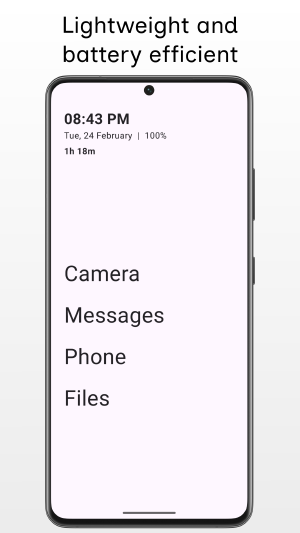
Minimo Launcher: You may not like it, but this is what peak performance looks like.
The other part is removing every application that doesn’t provide real value. At first, this seems easy. Just uninstall TikTok, Instagram, Reddit, and anything else built around an endless feed. Doing that helps a lot, but one application remains a problem: the browser.
The browser has been the biggest obstacle in my digital minimalism journey for years.
You can’t realistically live without one. At best, people will think you’re certifiably insane when they ask you to look something up online and you have to explain that you don’t have a browser installed. At worst, you’re standing in a government office or a meeting and suddenly need to scan a QR code, register on a website, or fill out an online form. I’ve been in the awkward position of downloading Firefox Lite from Aurora Store in a hurry while everyone else behind me in line waited (sorry!).
The problem is that having a browser installed is almost like having every app installed. You can uninstall Reddit and still waste an hour scrolling through the browser version instead.
Over the years I experimented with password-protecting my browser in various ways. For starters, all of the solutions for password-protecting specific apps with custom passwords on Android is inexplicably hacky. I’ve tried requiring copying a long password from my password manager every time I wanted to open the browser. Or even used passwords like YouBetterNotWasteTime to shame me into closing the app.
Those approaches worked, but only for a while. Eventually I became so used to entering the password that it stopped being a meaningful obstacle.
That experiment did teach me something useful, though.
The way to reduce impulsive app usage isn’t to make an app impossible to open. It’s to make the cost of opening it higher than the value of opening it on impulse. Doom-scrolling doesn’t provide much value in the first place; the reason it happens is because starting is effortless.
Waiting two minutes to open a browser won’t stop me from reading an important document or looking something up when I actually need to. It will, however, make me think twice before opening Reddit because I’m bored.
That’s the entire motivation behind Friction Timer. It’s meant to encourage more deliberate use of applications that are genuinely useful but also easy to abuse.
I didn’t find a solution like that exactly fit my needs, so I created one myself. :)
Rewrite Re-Vibecode It in Rust
As I mentioned earlier, I originally built this project at the beginning of the year. Over the course of a few days, I put together a React Native application that was functionally almost identical to the version I just released.
I say “almost” because there was one major difference: it was ugly as sin.
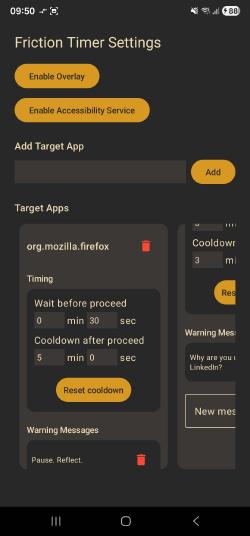
The ugliest frontend known to man.
There were a few reasons for that. First, I’m not a frontend designer. Second, I’d barely touched React Native before. Third, I cared far more about getting a working application than making it look good, and polishing a UI takes time I’d rather spend elsewhere.
Eventually, though, the interface started to bother me. On top of that, the logic responsible for detecting when a restricted app moved into the foreground had a few flaws that became more obvious over time. So I decided to rebuild the whole thing from scratch using a technology I’d wanted to try for years: Tauri.
If you haven’t heard of Tauri, here’s the elevator pitch: it’s like Electron, except it uses the system’s native WebView instead of shipping an entire Chromium browser with every application. That makes the final binary much smaller and reduces memory usage considerably. Since Tauri 2.0, the same codebase also targets Android alongside Windows, macOS, and Linux.
That was especially appealing to me because I already know my way around web development, but I know very little about mobile development. One thing I’ve always disliked about frameworks like Flutter is having to learn an entirely different way of building interfaces instead of reusing the React and Tailwind knowledge I already have.
The catch is that Tauri uses Rust. While the frontend is still a web application, the native side of the application is written in Rust.
Rust has interested me for a long time. I’ve started learning it more than once, but I’ve never stuck with it. It’s a language that asks for a considerable investment up front, and as an application security engineer, I don’t get much in return for that effort. From a career perspective, there are simply other things I could learn that would pay off sooner.
That meant I’d bounced off Tauri several times before. This time, though, I had a different idea: what if I let the current generation of LLM tools do most of the work?
When I built the original React Native version, I occasionally asked ChatGPT to help debug something or generate bits of UI. Since then, I’ve become more aware of tools like Lovable, Claude, and Codex, so I wanted to see how far I could get by leaning on them.
The first step was creating a throwaway Lovable account and using the free daily credits to generate a frontend. I gave it a fairly vague description of what I wanted and asked it to use the Gruvbox dark color scheme. My prompt was nothing special, but even so, one day’s worth of free credits produced a surprisingly nice React application.
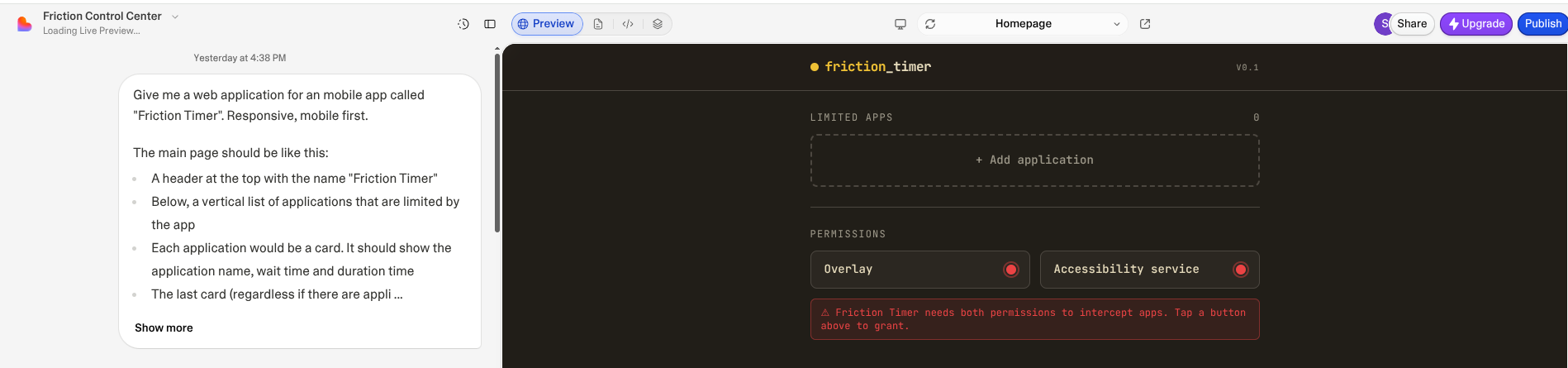
Behold my bad prompt-engineering skills.
I couldn’t find a way to download the generated source code directly, so I used this Chromium extension by Mubashir Hassan to export the project as a ZIP archive.
From there, I created a barebones Tauri project and opened Codex. I pointed it at both projects, explained that I wanted the Lovable-generated React application adapted into the frontend of the Tauri project, and let it go.
It got it right on the first attempt!
After that, I made a few smaller requests to clean up the interface, remove unnecessary code, and tweak parts of the design I didn’t like.
Over the next two evenings, I mostly wrote prompts in plain English describing what the application should do. Store the restricted applications in SQLite. Open the appropriate Android settings pages when a button is pressed. Detect the foreground application. Things like that.
In other words, I described the behavior of the original React Native application and asked Codex to recreate it in the new Tauri project.
It didn’t take long before I had rebuilt the application from scratch. The new version has a much nicer interface, better foreground app detection, and, arguably, cleaner backend code than the original implementation.
The surprising part was how little effort it took. I wasn’t asking the model to invent the application. I’d already solved the design problems months earlier. At that point, most of the work was translating a specification that already existed into code.
Conclusion
This was a small project, but I had a lot of fun building it, and it gave me a chance to learn a few things along the way.
The first was about the nature of impulsive smartphone use, and how adding just a little friction can make those habits easier to manage without giving up the genuinely useful parts of having a smartphone.
The second was getting some hands-on experience with Tauri. I also came away with a much better understanding of what the current generation of LLM coding tools is actually good at, and where they still fall short.
If AI really is the future of software development, as every Silicon Valley ghoul keeps insisting, then maybe the bottleneck won’t be writing code anymore. Maybe it’ll be expressing engineering ideas clearly enough that a machine can turn them into code without misunderstanding them.
Seems like a depressing future, to be honest.
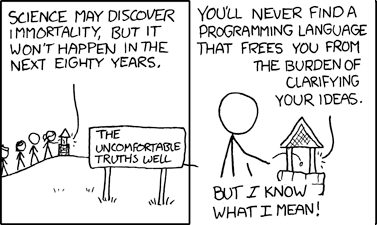
https://xkcd.com/568/